Product overview

A programmable PTZ shot system for live production

PTZ Shot Director is a Windows desktop application for controlling and automating PTZ cameras in real production environments. It helps operators create repeatable shots, trigger saved positions quickly, coordinate multi-camera sequences, and expose those actions through a local API for external integrations.

Direct PTZ camera control

Control supported PTZ cameras from the desktop UI, joystick hardware, keyboard workflows, and local API endpoints without forcing every move to be driven manually in real time. Cameras must expose compatible PTZ control, such as VISCA support, for the app to communicate with them correctly.

Saved points and shots

Capture camera positions as points, combine them into named shots, and recall them consistently for sermon framing, worship coverage, speakers, or event transitions.

Movement tuning

Control how the camera moves, not just where it ends, with tuned movement behavior and direct full-speed triggering when needed.

App walkthrough

A tab-by-tab look at the PTZ Shot Director workspace

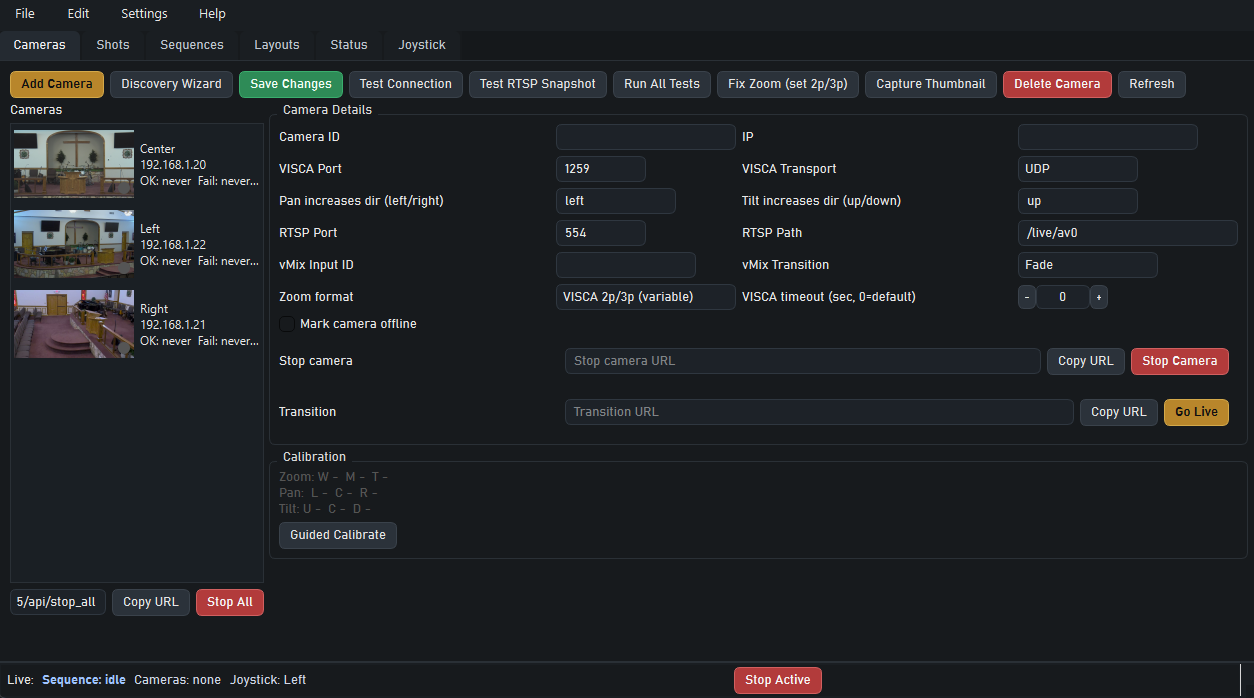
Camera management tab with PTZ device settings, RTSP options, and calibration controls.

Cameras

Handle discovery, transport settings, thumbnails, calibration, and live control actions for every PTZ camera in the system.

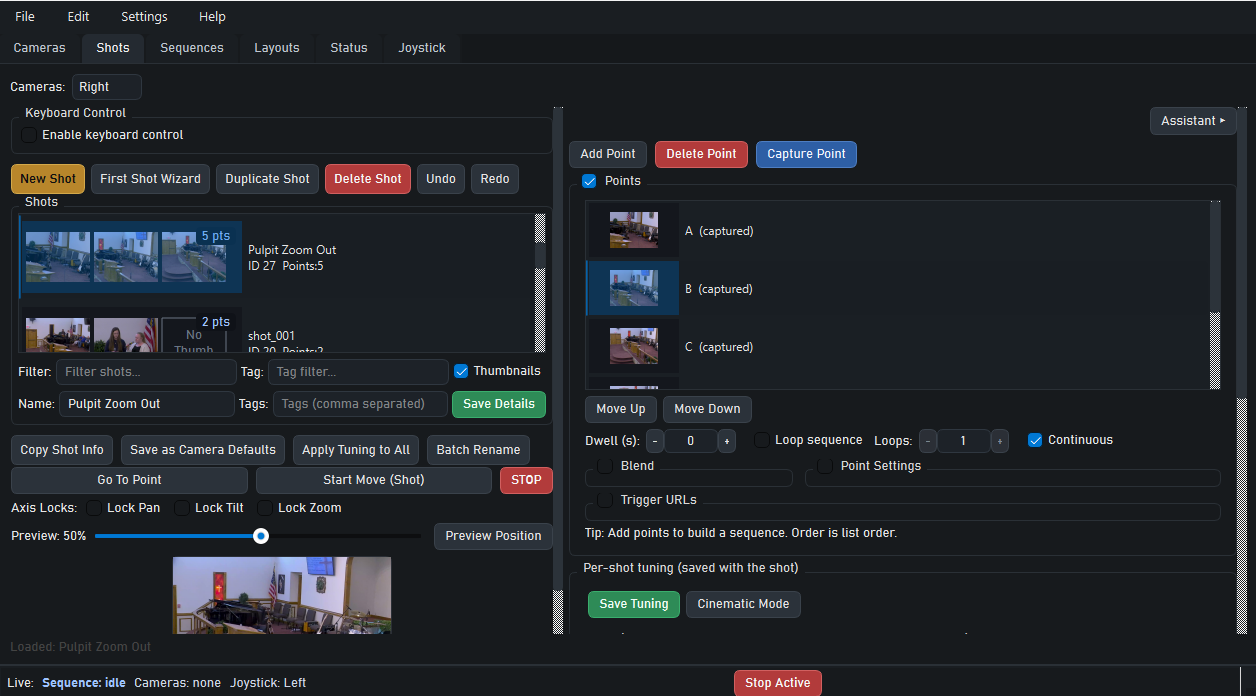
Shots tab with saved shot thumbnails, points, and move controls.

Shots

Capture points, assemble reusable shot paths, tune behavior, and trigger repeatable movements without rebuilding them each week.

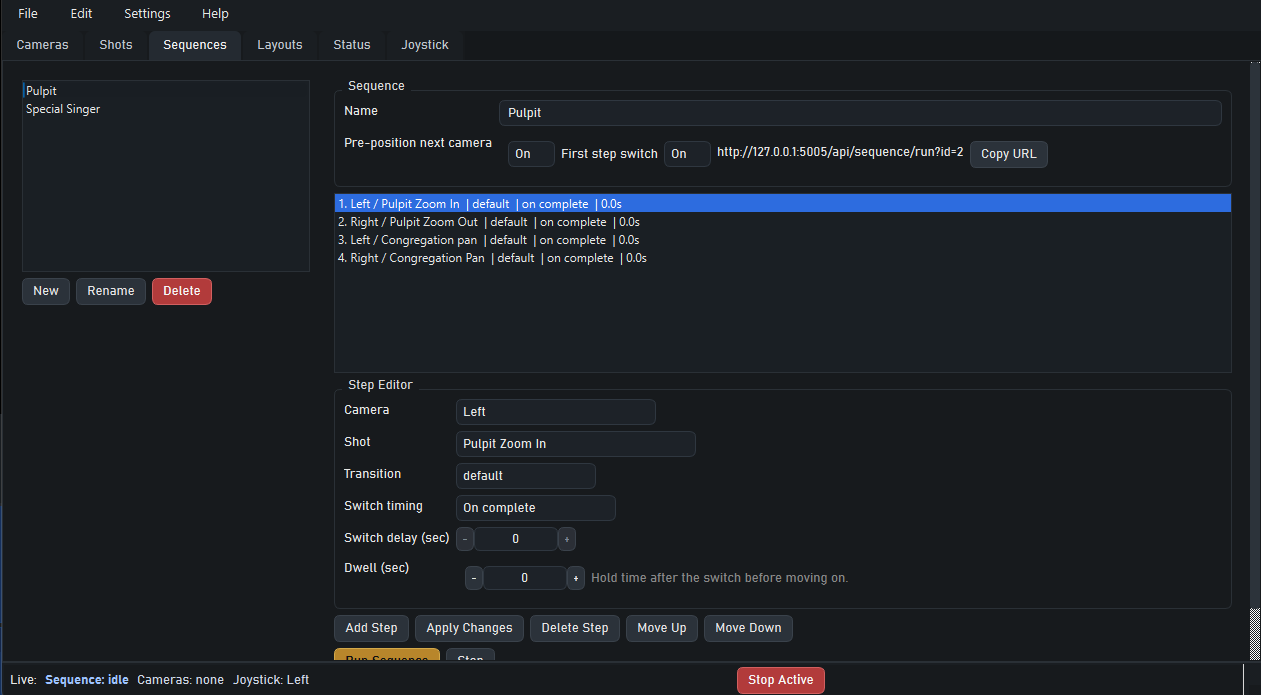
Sequences tab showing a sequence editor for multiple cameras and timed steps.

Sequences

Coordinate multiple cameras and timed switches with a step editor built for live production flow. Automatic transition switching is currently designed for vMix-based workflows.

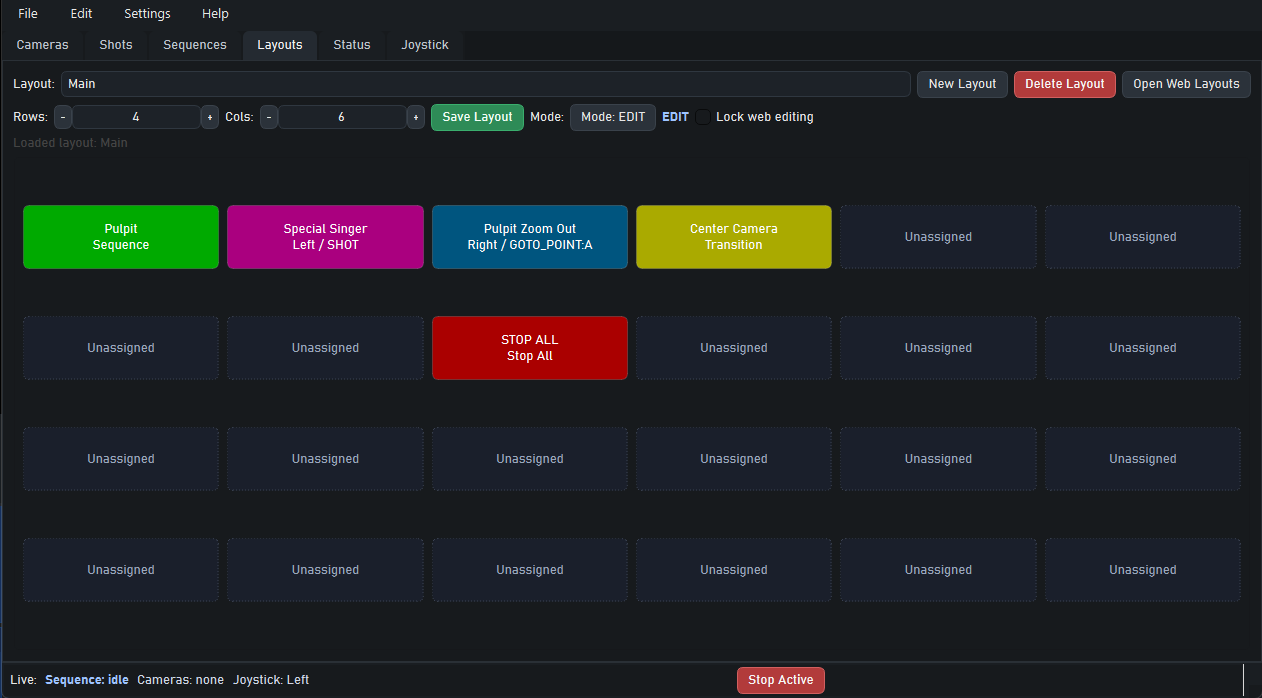
Layouts tab showing a programmable control grid for live triggers.

Layouts

Create operator-facing trigger surfaces with large buttons for sequences, shots, transitions, and emergency stop actions.

Joystick workflow

Joystick setup is built into the same operator workspace

PTZ Shot Director does more than accept joystick input. It includes mapping, per-camera speed tuning, simulation tools, and dashboard monitoring so operators can tune hardware behavior without leaving the app.

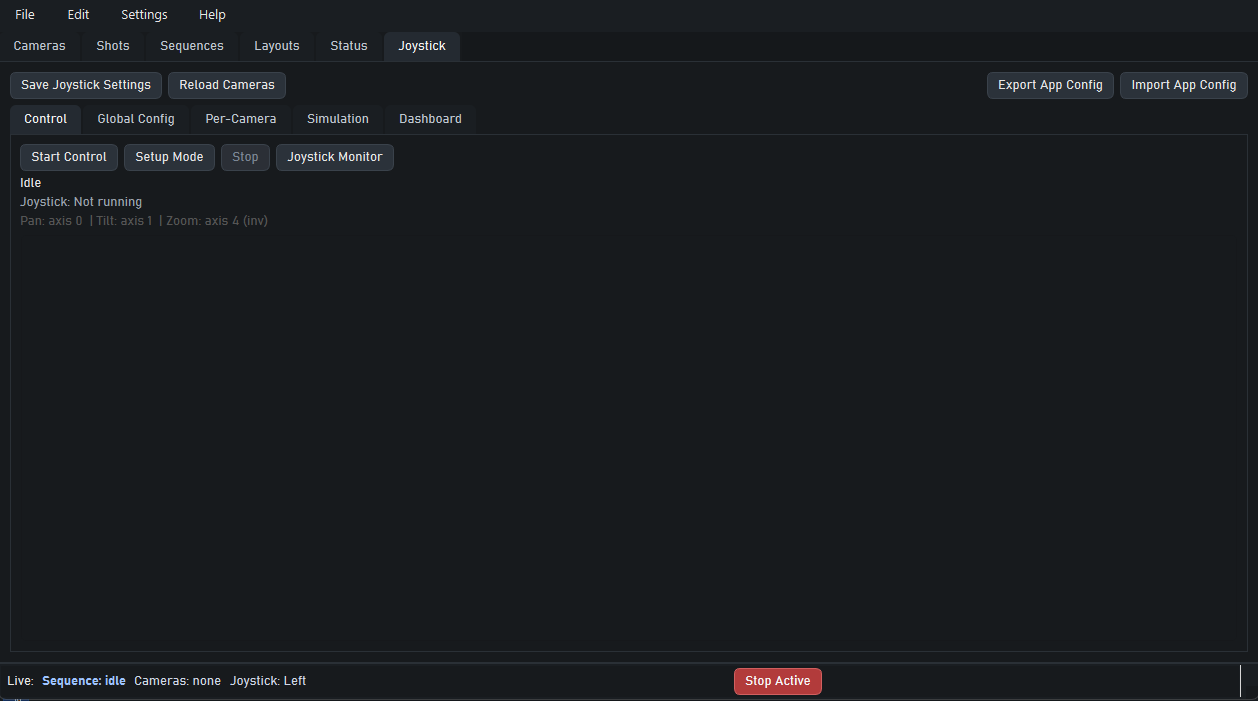
Joystick control tab showing live joystick control state.

Control

Start direct control, monitor axis mapping, and move quickly between operating modes.

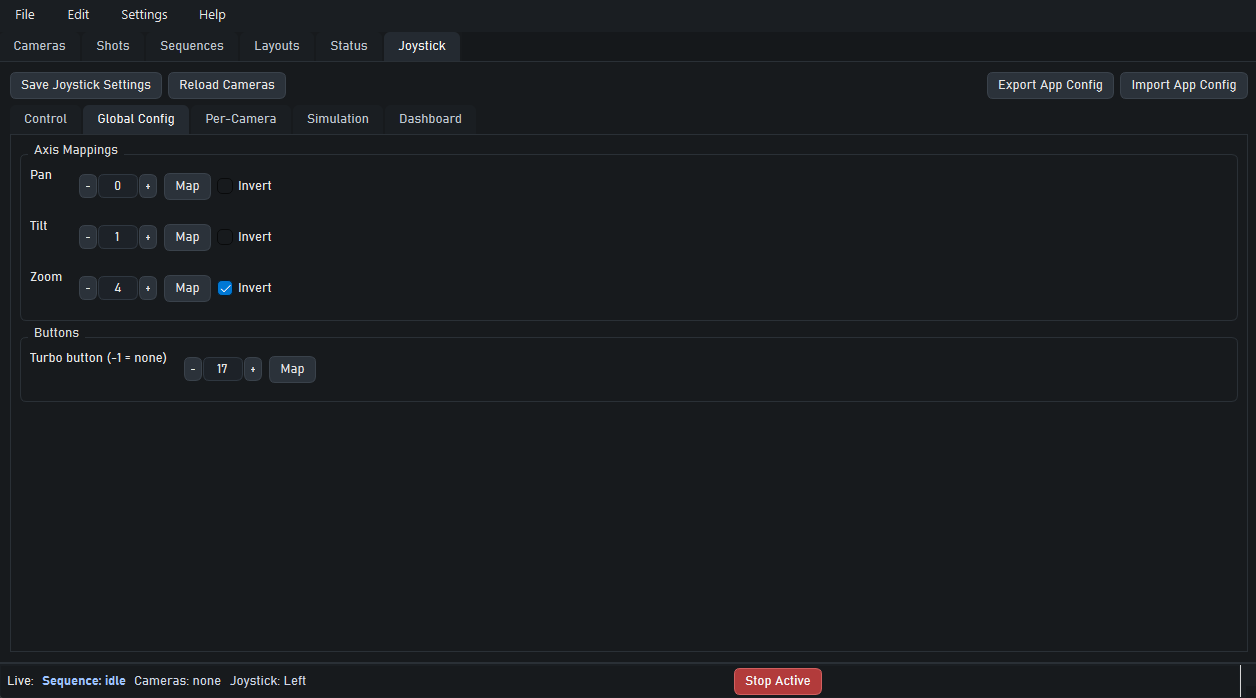
Joystick global config tab showing axis mapping and button mapping.

Global config

Map axes and buttons once, including inversion and turbo assignments.

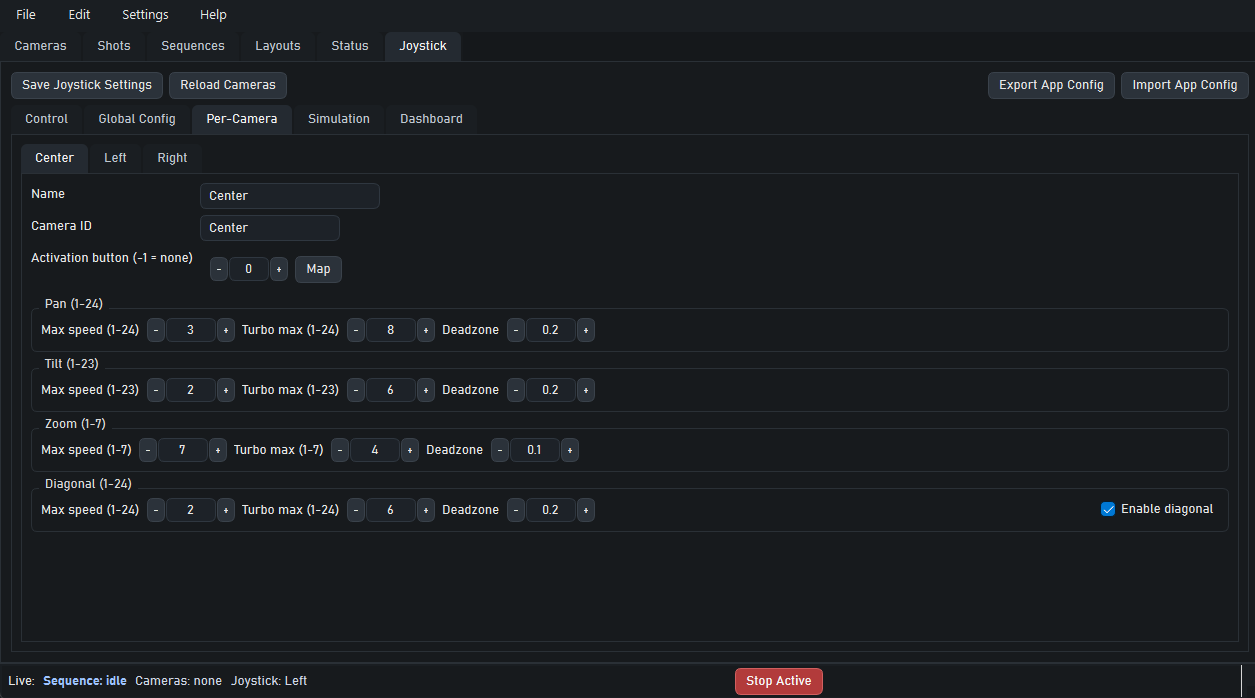
Joystick per-camera tab showing max speed and deadzone controls.

Per-camera tuning

Set independent pan, tilt, zoom, diagonal, turbo, and deadzone values for each camera.

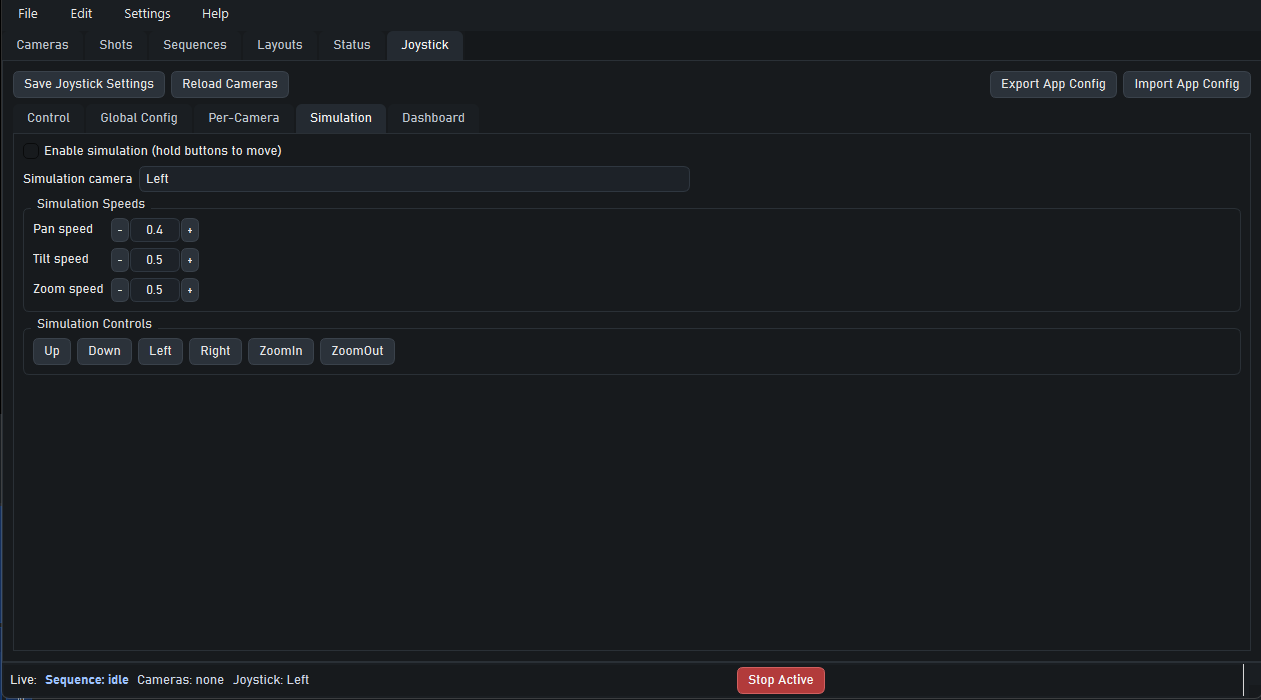
Joystick simulation tab showing software simulation controls.

Simulation

Test movement behavior in software before handing control to physical hardware.

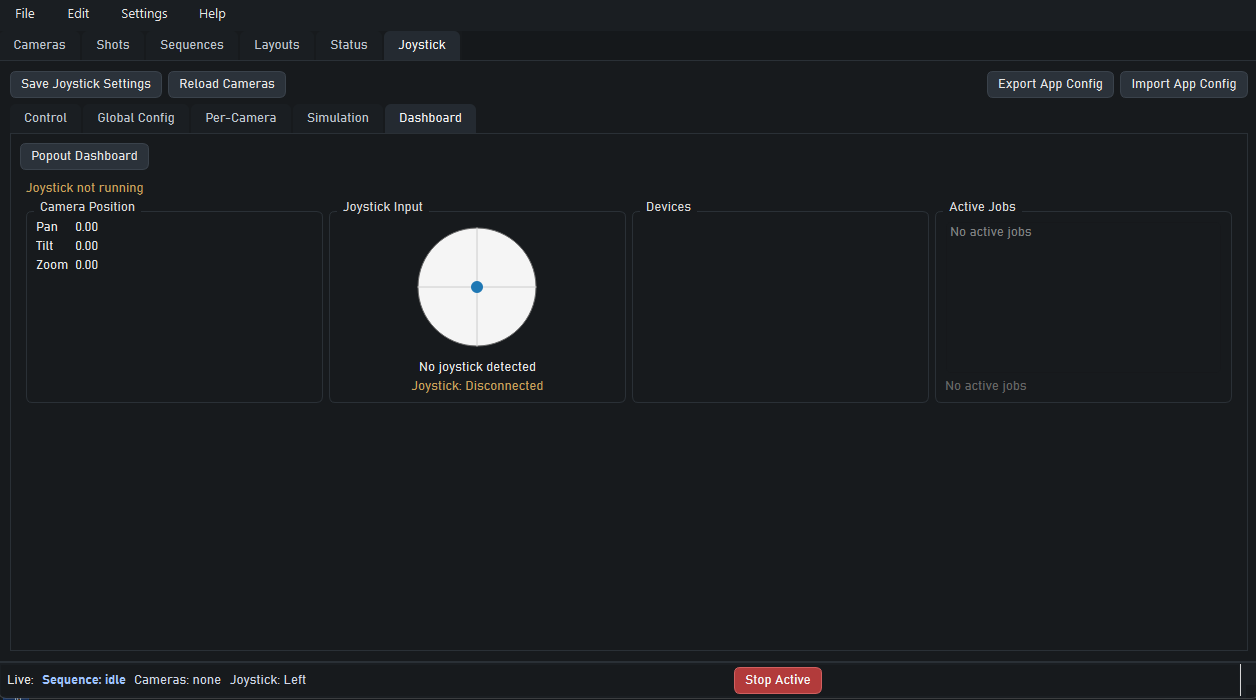
Joystick dashboard tab showing joystick input and active jobs.

Dashboard

Watch device status, input response, and active jobs in real time.

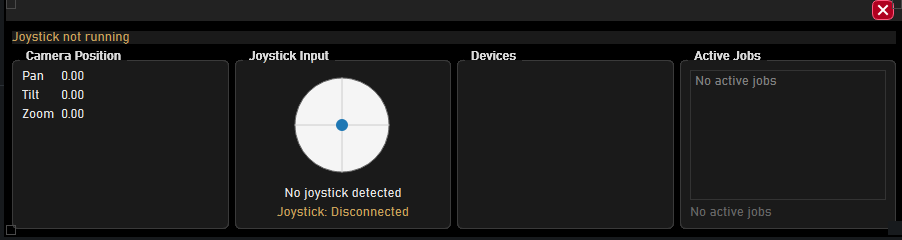
Joystick popout dashboard window for a compact always-on-top view.

Popout monitor

Keep a compact always-visible dashboard on-screen during rehearsal or production.
Fits into a wider production stack

The local API makes PTZ Shot Director useful with trigger systems, custom tools, vMix workflows, and external control surfaces that need a dependable PTZ automation engine on the desktop. Sequence auto transitions currently depend on vMix.